
When you purchase through links on our site, we may earn an affiliate commission. Here’s how it works.
Home security has moved beyond old keys and basic locks. Today’s homeowners want advanced protection that’s easy to use and packed with the latest tech. But can one device really keep your home safe?
The ULTRALOQ AI smart lock aims to change how we control our homes. It uses a 7-in-1 keyless entry system. This means you can unlock your door with 360° fingerprint recognition, a secret keypad, or your phone. You can find it on Amazon, marking a big step up in home security.
This smart lock does more than just unlock doors. The U-Bolt Pro Series has Touch and Go tech, auto-unlocks, and works with Apple Watch. You can get into your home with your fingerprint, a mobile app, or a traditional key if you need it.
Table of Contents
- 1 What Makes the ULTRALOQ AI Smart Lock Different
- 2 Complete 7-in-1 Keyless Entry System Overview
- 3 360° Live Fingerprint ID Technology Deep Dive
- 4 Smartphone App Control and eKEY Management
- 5 Get ULTRALOQ Smart Lock from Amazon
- 6 Wi-Fi Connectivity and ULTRALOQ Bridge Integration
- 7 Installation and Setup Process
- 8 Auto Lock, Auto Unlock, and Smart Features
- 9 ULTRALOQ AI Smart Lock Security Assessment
- 10 Real-World Performance and User Experience
- 11 Advantages and Disadvantages Analysis
- 12 Amazon Pricing and Value Assessment
- 13 Final Verdict on ULTRALOQ AI Smart Lock Security
- 14 Frequently Asked Questions (FAQ)
Key Takeaways
- Features 7-in-1 keyless entry system with multiple access methods
- Includes revolutionary 360° fingerprint recognition technology
- Offers smartphone app integration and Apple Watch compatibility
- Provides anti-peep keypad security for enhanced protection
- Available on Amazon with complete biometric features
- Maintains mechanical key backup for emergency situations
What Makes the ULTRALOQ AI Smart Lock Different
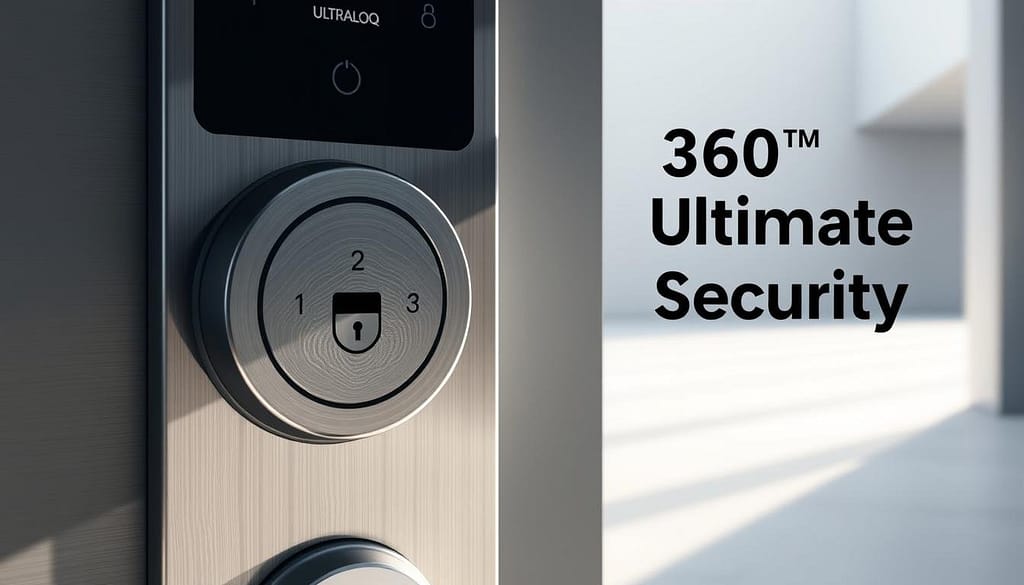
The ULTRALOQ AI Smart Lock stands out with its 360° Live Fingerprint ID technology. This biometric security system lets you unlock your door with just one touch. It works no matter where you place your finger, unlike old fingerprint scanners.
The lock’s AI learns from you over time. It gets better at recognizing your fingerprint with each use. This means it becomes faster and more accurate as you use it more.
This keyless entry door lock has a big advantage: it can store up to 100 individual fingerprints and 50 customizable backup codes. This is great for big families or lots of guests. It keeps everyone secure without running out of space.
The lock offers 7 ways to get in, unlike most locks. You can use fingerprints, a keypad, your phone, or even physical keys. This means you’re always covered, no matter what.
Old smart locks just don’t compare. They often have basic fingerprint scanning that’s not very accurate. The ULTRALOQ AI Smart Lock combines AI, lots of storage, and many ways to get in. It’s a top pick in the smart lock world today.
Complete 7-in-1 Keyless Entry System Overview
The ULTRALOQ AI’s 7-in-1 entry system combines advanced smart home tech with practical security. It offers multiple access methods in one smart lock. This gives users flexibility and strong security for their homes.
This system includes Touch and Go 360° Fingerprint ID, Anti-peep Keypad, and Smartphone App control. It also has Auto Unlock, Shake to Open, Apple Watch compatibility, and a Mechanical Key backup. Each feature works alone or together, ensuring access in any situation.
Touch and Go 360° Fingerprint Technology
The fingerprint sensor reads biometric data from any angle, making it easy to use. Users just need to touch the scanner naturally, without worrying about finger placement. The 360-degree recognition capability processes fingerprints quickly, no matter the angle.
This tech can store up to 100 unique fingerprints with high accuracy. Family and trusted individuals can get in quickly, without needing keys or codes. It works well in different weather and lighting conditions.
Anti-Peep Keypad Protection
The anti-peep feature lets users enter random digits before or after their code. This security enhancement prevents shoulder surfing and unauthorized code observation. It makes it hard for intruders to guess the real passcode by watching entry attempts.
Users can enter any 4-8 digit combination, with their real code hidden anywhere in it. The lock will recognize the correct code, ignoring the decoy numbers.
Multiple Access Methods
The system offers seven distinct entry options for unmatched convenience and security. The smartphone app lets users control the lock remotely. Apple Watch integration allows for hands-free unlocking.
Auto unlock detects authorized smartphones approaching the door. Shake to open works with simple phone gestures near the lock. The mechanical key provides traditional backup access during power outages or tech failures.
| Access Method | Speed | Convenience Level | Backup Reliability |
|---|---|---|---|
| 360° Fingerprint | 1-2 seconds | Very High | High |
| Smartphone App | 2-3 seconds | High | Medium |
| Anti-Peep Keypad | 3-5 seconds | High | Very High |
| Mechanical Key | 5-10 seconds | Medium | Absolute |
360° Live Fingerprint ID Technology Deep Dive
The ULTRALOQ AI Smart Lock’s core is its 360° Live Fingerprint ID tech. This tech makes it easy to unlock your home. Just touch the sensor from any angle, and you’re in.
This fingerprint recognition lock does more than just scan. It’s a full security solution that fits how we live. It checks your fingerprint in real-time, so you get fast access without losing accuracy.
Fingerprint Recognition Accuracy
The AI in the lock gets better over time. It learns and improves how it recognizes your fingerprint. This self-learning capability handles changes in your fingerprint, like from weather or aging.
Users say the sensor works best when your finger is placed right. Keeping the sensor clean and your fingers dry helps a lot. The 360° tech also accepts fingerprints from different angles, cutting down on failed attempts.
It’s very good at recognizing even worn-out or slightly damaged fingerprints. This makes it great for people of all ages and jobs.
Storage Capacity: 100 Fingerprints and 50 Codes
The secure smart lock can store 100 fingerprints. It’s ideal for big families, businesses, or rental places. You can assign each fingerprint to a specific user for tracking.
It also has 50 customizable numeric codes, from 4 to 8 digits. These codes offer flexible access options for guests or emergencies. Property managers can give unique codes to tenants or service providers.
This setup means you’ll never get locked out. Having both biometric and numeric access adds layers of security and convenience.
Smartphone App Control and eKEY Management
The U-tec mobile app turns your ULTRALOQ AI Smart Lock into a full Wi-Fi enabled door lock system. It’s your main hub for all lock actions, user management, and security checks. The app’s easy-to-use design lets you control everything from anywhere, making old keys a thing of the past.
Get real-time updates on your lock’s activity with smart notifications. The app alerts you to unlocks, failed attempts, low battery, and security issues. This keeps you in the loop about your home’s safety at all times.
Remote Lock and Unlock Features
The app lets you lock and unlock your door from up to 30-50 feet away. One-touch controls make it easy to secure your home. For more remote access, the ULTRALOQ bridge connects your lock to your Wi-Fi network.
With remote access, your phone becomes a digital key for anywhere internet access. The bridge lets you give emergency access to family or check your lock status while you’re away.
Guest Access and eKEY Sharing
The eKEY system makes managing access easy. Temporary digital keys are perfect for Airbnb guests with set dates and times. Service providers get one-time codes, and regular visitors get scheduled access.
You can set limits on each eKEY, like time periods, days, and usage limits. This gives you control over who gets in and when, keeping your home secure.
Access Logs and Monitoring
Access logs track every interaction with your lock, including successes and failures. The system shows who accessed your home and when. This gives you insights and ensures accountability.
| Access Type | Log Details | User Management | Time Restrictions |
|---|---|---|---|
| Family Members | Full activity history | Permanent access | 24/7 availability |
| Temporary Guests | Entry/exit timestamps | Limited duration | Custom date ranges |
| Service Personnel | Single-use tracking | One-time access | Specific time slots |
| Regular Visitors | Recurring access logs | Scheduled permissions | Weekly patterns |
This post contains affiliate links, and we may earn a commission if you purchase through them.
Get ULTRALOQ Smart Lock from Amazon
Wi-Fi Connectivity and ULTRALOQ Bridge Integration
The ULTRALOQ AI Smart Lock uses advanced smart home technology with Wi-Fi and bridge options. This setup allows easy remote access and connects well with other smart devices. Knowing how to set up your lock is key to getting the most out of it.
ULTRALOQ locks come in different models with different ways to connect. Some have Wi-Fi built-in for instant internet access. Others need the ULTRALOQ Bridge for remote access when you’re not home.
2.4GHz Wi-Fi Requirements
The ULTRALOQ AI Smart Lock works only on 2.4GHz Wi-Fi networks. This choice helps it reach farther and work better through walls. Most routers use both 2.4GHz and 5GHz, but the lock must connect to 2.4GHz.
Setting up the network needs a strong internet signal at the door. Weak Wi-Fi signals can cause problems and slow down the lock. Make sure your 2.4GHz signal is strong before you install the lock.
Remote Access Capabilities
With Wi-Fi, you can control your lock from anywhere with internet. You can lock or unlock your door, get alerts, and see who’s accessed it from your phone.
Integrating with smart homes adds even more features. You can use Amazon Alexa, Google Assistant, Samsung SmartThings, and IFTTT for voice commands and automated actions. This makes your lock work smoothly with other devices.
| Connectivity Type | Remote Access | Additional Hardware | Smart Home Integration |
|---|---|---|---|
| Built-in Wi-Fi | Full remote control | None required | Direct platform support |
| Bluetooth + Bridge | Remote via bridge | ULTRALOQ Bridge needed | Bridge-enabled integration |
| Bluetooth Only | Local proximity only | None | Limited functionality |
Installation and Setup Process
Setting up this keyless entry door lock is easy. You need just a few tools and no special skills for most doors. The ULTRALOQ AI Smart Lock is designed for DIY fans, with no complex wiring or deep drilling needed. Most people finish the job in under 30 minutes with tools you likely have at home.
The setup has two parts: mounting the hardware and setting it up digitally. This makes sure your smart lock works right from the start.
Hardware Installation Requirements
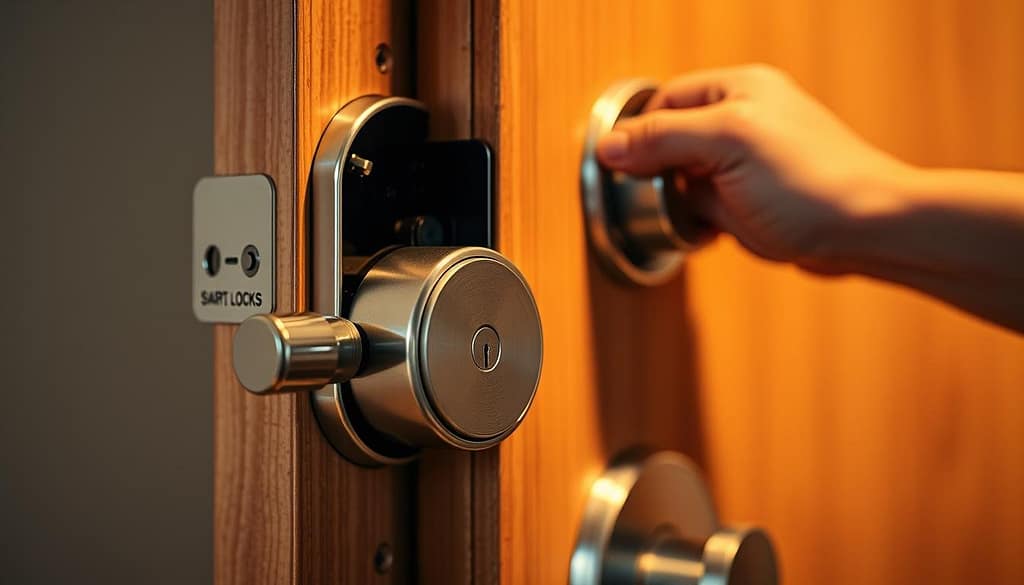
The physical part of the job is simple. It uses a four-screw system for US standard doors. No wiring or professional help is needed for basic use. The lock fits most doors without any extra work.
Some doors might need a little tweak, depending on what’s already there. To avoid screw breakage, pre-drill holes in harder materials like oak or metal. The kit has all the screws and hardware you need.
The best door thickness is between 1.5 and 2.25 inches for the standard setup. Check your door’s thickness before starting to make sure it fits right.
App Configuration Steps
First, download the U-tec app and make an account. Then, start the digital setup. The app helps with Bluetooth pairing and setting up the lock. Fingerprint enrollment is quick, taking just seconds per person.
Next, set up access codes and choose when the lock should lock automatically. Connect to Wi-Fi for remote access and guest management. The app’s setup wizard guides you through each step clearly.
After setting everything up, test how it works. Make sure fingerprint scanning, keypad entry, and smartphone unlocking all work as they should.
This post contains affiliate links, and we may earn a commission if you purchase through them.
Get ULTRALOQ Smart Lock from Amazon
Auto Lock, Auto Unlock, and Smart Features
The ULTRALOQ AI smart lock offers hands-free convenience. It uses proximity sensors and gesture controls. These features make opening doors easy and secure, adapting to your routine.
Automatic Locking and Unlocking Performance
The auto unlock feature detects when you’re near the door. It unlocks automatically, so you don’t have to fumble with keys or phones. This is great when you’re carrying groceries or in bad weather.
The Smart Auto-Lock keeps your door secure by locking it only when it’s closed right. You can set how long it waits to lock, from 10 seconds to 10 minutes. This way, you can avoid getting locked out while keeping your home safe.
You can adjust how sensitive the lock is to fit your home’s needs. It learns your habits to avoid false triggers and work well.
Shake to Open and Apple Watch Integration
The Shake to Open feature lets you unlock your door by shaking your phone. It’s quick and easy, working even with gloves or in the dark. You don’t need to open apps or use menus.
With Apple Watch integration, you can control your lock from your wrist. You can unlock or lock the door using the watch or Siri voice commands. This is super handy when you’re carrying things or outside.
Both features keep your home safe by checking who’s trying to unlock it. They make sure only authorized devices and users can get in. So, you get convenience without sacrificing security.
ULTRALOQ AI Smart Lock Security Assessment
The ULTRALOQ AI Smart Lock has many layers of security. It protects against digital and physical threats. Your home stays safe with advanced tech and strong construction.
This lock has a biometric security system that’s as good as commercial-grade. It combines digital encryption with physical strength for total protection.
Encryption and Data Protection
The lock uses two-layer 128-bit AES encryption for data safety. This top-level encryption keeps your phone and lock communication safe.
AWS cloud adds more security for your data. Your biometric info and access logs are safe during and after cloud storage.
Dynamic encryption keys stop hackers from replaying attacks. New keys are made for each session, making it hard for hackers to reuse old messages.
Physical Security and Anti-Tampering
ANSI Grade 1 certification is the highest security standard. It means the lock can handle 250,000 lock cycles and resist attacks well.
The IP65 weather rating keeps the lock safe from the environment. Dust, water, extreme temperatures, and humidity can’t harm it.
Anti-peep keypad tech stops shoulder surfing attacks. Users can enter random digits before and after their code, making it hard for others to guess.
| Security Feature | Specification | Protection Level | Benefit |
|---|---|---|---|
| AES Encryption | 128-bit dual-layer | Military-grade | Prevents data interception |
| ANSI Rating | Grade 1 certified | Commercial standard | Physical attack resistance |
| Weather Protection | IP65 rating | Industrial level | Environmental durability |
| Anti-Peep Keypad | Random digit entry | Advanced privacy | Prevents code theft |
Emergency backup power keeps you in during battery failure. The mechanical key override adds extra security, keeping your secure smart lock system convenient.
Real-World Performance and User Experience
Testing this fingerprint lock shows both great features and some limits. People generally like it, but they say it works best with the right technique and care.
Daily Usage Reliability
Users say it works well every day after they learn how to use it. The trick is to place your finger right and keep the sensor clean.
Some users face issues with the scanner being too sensitive. Problems come from dry fingers, dirt, or wrong finger placement. Regular cleaning and setting up multiple finger angles help a lot.
There are sometimes problems with connecting to smart home systems like Google Home. Users suggest checking your Wi-Fi and updating the app to avoid these issues.
Battery Life and Maintenance
The ULTRALOQ AI lasts about 12 months on 8 AA batteries with normal use. But, using smart features a lot can shorten its life.
Some users got locked out because the batteries died without warning. The system sends low battery alerts, but some miss them. Carrying backup keys is a good solution for emergencies.
Keeping it clean every month, checking the battery every three months, and updating software regularly is important. Weather can also impact how well it works, in very hot or cold places or when it’s very humid.
Reports on its durability are good, thanks to its solid build. But, installing it right and making adjustments with the seasons helps it stay in top shape.
This post contains affiliate links, and we may earn a commission if you purchase through them.
Get ULTRALOQ Smart Lock from Amazon
Advantages and Disadvantages Analysis
The ULTRALOQ AI Smart Lock offers great features but also some challenges. Knowing both sides helps buyers make smart choices. This review looks at real-world use based on user feedback and tests.
Key Strengths
The 7-in-1 access system is a major plus. It includes fingerprint, keypad, app, physical key, voice recognition, auto-unlock, and shake-to-open. This means you’ll never get locked out.
Setting it up is easy for most people. It’s designed for DIY use and fits standard doors. Most homeowners set it up in 30 minutes without needing a pro.
It works well with smart homes. It’s compatible with Apple HomeKit, Amazon Alexa, and Google Assistant. The auto-lock and auto-unlock work well once set up right.
It’s secure, meeting industry standards with ANSI Grade 1 certification. It’s weather-resistant and can store 100 fingerprints and 50 codes. This is great for big families and guests.
Notable Limitations
Fingerprint sensor sensitivity is a big issue. Dirty or wet fingers often fail recognition, needing many tries. Some need to re-enroll fingerprints often for it to work well.
Remote access can be hit-or-miss. Wi-Fi strength and router type matter a lot. You also need a separate ULTRALOQ Bridge for full remote access, adding cost and complexity.
Battery life is a worry. Many users report unexpected lockouts when batteries run out without warning. Keeping an eye on battery life is key for it to work right.
| Advantages | Disadvantages | Impact Level |
|---|---|---|
| 7-in-1 access methods | Fingerprint sensitivity issues | High |
| Easy DIY installation | Wi-Fi connectivity problems | Medium |
| Smart home integration | Battery management concerns | Medium |
| ANSI Grade 1 security | Learning curve complexity | Low |
Amazon Pricing and Value Assessment
The ULTRALOQ AI Smart Lock’s price shows its advanced features and strong market position. Amazon offers various options to fit different budgets and smart home needs.
Current Pricing and Availability
Amazon has several ULTRALOQ AI Smart Lock models priced from $199.99 to $249.99. The basic Wi-Fi + Bluetooth model starts at $199.99. It comes with key features like fingerprint recognition and smartphone control.
The top Apple Home compatible model costs $249.99. It offers seamless integration with Apple devices. It also has Wi-Fi and Matter over Thread connectivity, making it worth the extra cost. Most models get free Amazon Prime shipping, with next-day delivery available.
There are bundle deals that include the ULTRALOQ Bridge for better connectivity. You can save 10-15% during big sales.
Cost-Benefit Analysis
The ULTRALOQ AI Smart Lock offers great value compared to other smart locks. Its ANSI Grade 1 certification means it’s built to last, making the initial cost worth it.
The 7-in-1 access system means you don’t need to buy extra accessories. Professional installation costs are also saved because it’s easy to set up yourself.
Long-term costs are low, with batteries needing replacement every 8-12 months. Its many features, like 100 fingerprint storage and top security, make it a solid choice for those who want reliable, keyless entry solutions.
Final Verdict on ULTRALOQ AI Smart Lock Security
The ULTRALOQ AI Smart Lock offers top-notch security, making it a high-end choice for smart homes. It uses AI to learn and protect against unauthorized access. This system combines several ways to verify identity.
The 360° fingerprint technology is a standout feature. Users find it very accurate and fast. It can store up to 100 fingerprints and 50 access codes, great for big families or small businesses.
While it’s called “ultimate security,” it’s a big step up from old deadbolts. It has an anti-peep keypad, encrypted communication, and alerts for tampering. These features work together to enhance security.
This smart home tech is perfect for those who love tech and want safety. It connects to Wi-Fi and can be controlled through a smartphone app. Busy families will find it very useful.
Setting it up can be tricky, and sometimes it loses connection. You also need to keep an eye on the battery. But these small issues don’t ruin the lock’s strong security.
For those looking to upgrade from basic locks, the ULTRALOQ AI Smart Lock is a good choice. It may not be the ultimate security, but it offers strong, multi-layered protection. It adapts to how you use it while keeping your home safe.
When you purchase through links on our site, we may earn an affiliate commission. Here’s how it works.
Get ULTRALOQ Smart Lock from Amazon
Frequently Asked Questions (FAQ)
How accurate is the 360° fingerprint recognition technology on the ULTRALOQ AI Smart Lock?
The ULTRALOQ AI Smart Lock uses advanced AI to recognize your fingerprints. It learns and adapts over time. You can unlock the door with any finger angle, making it easy and convenient.
It can store up to 100 fingerprints. The system gets better at recognizing your prints as they change due to weather or aging.
What access methods are included in the 7-in-1 keyless entry system?
The ULTRALOQ AI Smart Lock offers seven ways to unlock your door. You can use fingerprint recognition, a smartphone app, or even your Apple Watch. It also has a shake-to-open feature and auto unlock.
There’s an anti-peep keypad and a traditional mechanical key for backup. This means you’re always secure, no matter what.
Does the ULTRALOQ AI Smart Lock require Wi-Fi connectivity to function?
Yes, it needs 2.4GHz Wi-Fi for full access. Basic features like fingerprint and keypad entry work offline.
But, Wi-Fi is needed for remote unlock and smart home integration. Some models require the ULTRALOQ Bridge for better remote access.
How difficult is the installation process for this keyless entry door lock?
Installing the ULTRALOQ AI Smart Lock is easy and quick. It usually takes under 30 minutes with basic tools. It fits most US standard doors without needing to modify the frame.
Just remember to pre-drill holes in hard materials to avoid screw breakage.
What smart home platforms are compatible with this advanced smart home technology?
It works with Amazon Alexa, Google Assistant, Samsung SmartThings, Apple Home, and IFTTT. You can control it with voice commands through Alexa and Google Assistant. This makes it easy to fit into your smart home.
How long does the battery last and what happens during power failure?
The battery lasts about a year with normal use. It comes with low battery warnings in the app. During a power outage, the mechanical key backup keeps you safe.
What security certifications does this biometric security system have?
It’s ANSI Grade 1 certified, the highest standard for security. It uses 128-bit AES encryption and is weather-resistant. The system also has anti-tampering features and secure cloud data handling.
Can I share access with guests and service providers?
Yes, you can share access through the app. Create temporary keys for guests, service providers, or regular visitors. You can set up to 50 different codes, from 4 to 8 digits.
How does the anti-peep keypad protection work?
The keypad protection lets you enter random digits before or after your code. This makes it hard for someone to guess your code by watching you. It keeps your access code safe from prying eyes.
What is the current pricing for the ULTRALOQ AI Smart Lock on Amazon?
Prices start at $199.99 for the Wi-Fi + Bluetooth model. The Apple Home version costs $249.99. Prices vary based on features like Wi-Fi and Apple Home integration. Look for deals to save money.