
When you purchase through links on our site, we may earn an affiliate commission. Here’s how it works.
The Reyee WiFi Extender delivers unparalleled wireless coverage, addressing connectivity struggles in homes and businesses. More smart devices and streaming needs create dead zones and weak signals. Unlike traditional solutions, this extender meets the demands of complex, device-heavy environments.
The Reyee WiFi Extender REX12 model tackles these problems with new technology. It has two FEM external signal amplification parts and dual high-gain chips. This setup sends signals up to three times farther than other products without FEM.
Reyee focuses on making networks reliable and stable in all situations. Their advanced tech keeps performance steady, even in tough environments. This wireless coverage solution keeps speeds high and supports many users and devices at once.
Table of Contents
- 1 Reyee WiFi Extender: Why the REX12 Stands Out
- 2 Reyee WiFi Extender: Technical Specs and Features
- 3 Reyee WiFi Extender: Performance Insights
- 4 Reyee WiFi Extender: Enhanced Coverage Capabilities
- 5 Reyee WiFi Extender: Universal Device Compatibility
- 6 Reyee WiFi Extender: Easy Installation Process
- 7 Reyee WiFi Extender: Real-World Performance Results
- 8 Reyee WiFi Extender: REX12 Pros and Cons
- 9 Reyee WiFi Extender: Comparison with Competitors
- 10 Reyee WiFi Extender: Ideal Use Cases
- 11 Reyee WiFi Extender: Support and Guarantee
- 12 Reyee WiFi Extender: Final Coverage Insights
- 13 FAQ
Key Takeaways
- REX12 model extends signal range up to three times farther than standard extenders
- Dual FEM amplifiers and high-gain chips provide focused signal transmission
- Designed for modern homes with multiple smart devices and streaming needs
- Maintains stable performance in complex networking environments
- Comprehensive solution addressing common connectivity dead zones
- Advanced engineering ensures reliable high-speed connections throughout properties
Reyee WiFi Extender: Why the REX12 Stands Out
The Reyee REX12 is different from other extenders because of its innovative signal amplification architecture. It uses advanced technology found in business networks. This makes it a top-notch option for home use, all for just $49.99.
The REX12 has dual FEM external signal amplifiers. These are cutting-edge RF technology that boost both incoming and outgoing signals. Unlike simple extenders, it strengthens signals before sending them to devices.
It also has two high-gain signal amplification chips. These chips work with the FEM technology to create a strong amplification system. This system improves signal clarity and boosts transmission power. It helps keep connections strong over its 7,800 square foot range.
The REX12 focuses its signal delivery, unlike other extenders. It can intelligently direct wireless energy to specific devices. This makes it more efficient and creates stronger connections.
Here are some key specs:
- Coverage Area: Up to 7,800 square feet
- Device Support: Connects up to 96 devices at once
- Speed Rating: AC1200 Mbps total throughput
- Range Extension: Three times better than standard extenders
The signal amplifiers work hard to keep signals strong and stable. They are great in areas with lots of wireless devices or physical barriers. Walls, floors, and electronic interference don’t weaken the REX12’s signal as much.
This extender is amazing because it keeps signal quality over long distances. The dual amplification system ensures devices far away get a strong signal. This means fewer dead zones in homes and offices.
The focused signal technology also makes networks more efficient. It directs energy where it’s needed, reducing waste. This means better performance for all devices, from phones and laptops to smart home systems and streaming devices.
Reyee WiFi Extender: Technical Specs and Features
The REX12 stands out with its advanced engineering. It’s not just another WiFi signal booster. Reyee products use the latest technology and are tested hard for top performance in tough places. This look into the REX12 shows why it’s a top pick for better wireless coverage.
The REX12’s design combines special parts for top-notch performance. It offers a wireless experience that goes beyond what usual extenders can do.
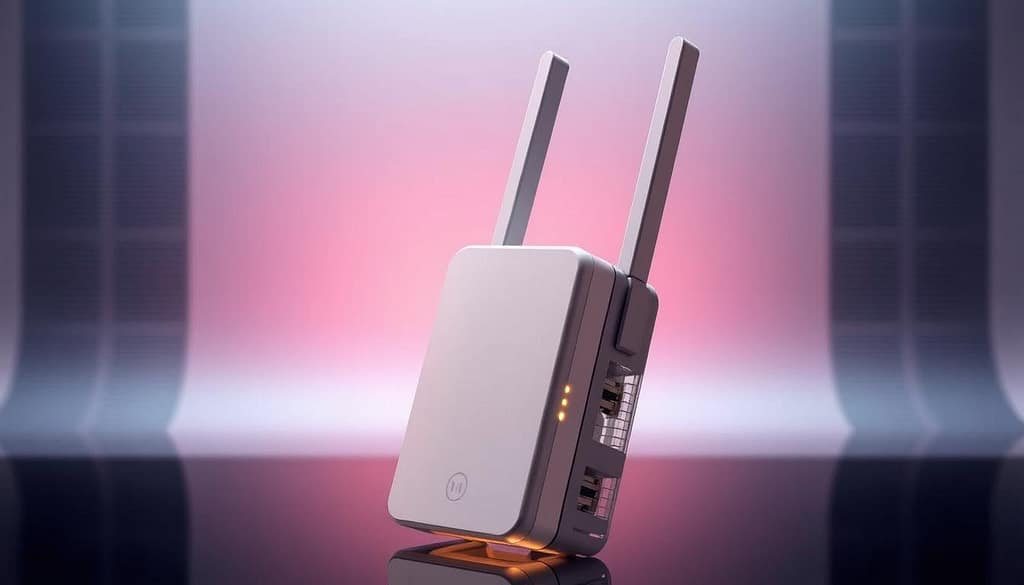
Dual FEM External Signal Amplifiers
The REX12 has dual Front End Module (FEM) external signal amplifiers. These boost both sending and getting signals. They work well, with less noise and interference.
The FEM tech brings big benefits:
- Stronger signal sending for longer range
- Better picking up weak signals
- Less interference thanks to smart filters
- Steady performance in all kinds of settings
These amplifiers keep the signal strong over long distances. The dual setup ensures top performance for both frequencies.
High-Gain Signal Amplification Technology
The REX12’s signal tech offers high gain for dual-band WiFi quality over long ranges. It keeps data clean with high signal-to-noise ratios.
Its key features are:
- Smart gain control for the best signal
- Power adjusts to the environment
- Smart noise reduction
- Always checks and improves performance
This tech keeps signal quality steady, even through walls or obstacles. It adjusts to give the best connection quality.
Omnidirectional Antenna Design
The REX12 has two omnidirectional high-gain antennas for full dual-band coverage. These antennas send signals in all directions, with the best patterns for going through walls.
The antenna setup gives:
- Full 360-degree coverage, no dead spots
- Supports both 2.4GHz and 5GHz frequencies
- Penetrates thick walls better
- Even signal strength everywhere
This design means stronger, more reliable connections no matter where you are. The technical specifications show how these antennas make a strong wireless network that works well in many places.
Get Reyee WiFi Extender from Amazon
Reyee WiFi Extender: Performance Insights
The Reyee WiFi Extender boosts your network’s performance in big ways. It tackles common connectivity issues in various settings. The REX12 stands out through thorough testing and real-world use.
This detailed performance analysis looks at key metrics. It shows how the device’s advanced tech helps everyday users.
Signal Range and Coverage Area
The REX12 extends coverage with its dual FEM technology. It sends signals up to three times farther than usual extenders.
It covers a lot of ground:
- 7,800 square feet of total coverage area
- Penetrates through walls and floors well
- Keeps signal strength steady over long distances
- Connects in areas that were hard to reach before
The Reyee network coverage goes beyond just distance. Its omnidirectional antenna spreads the signal evenly. This beats the directional limits of other devices.
What you’re surrounded by affects coverage. Thick materials like concrete cut down the range. But open spaces let you use the full 7,800 square feet. Users often see a 200-300% boost in coverage compared to their router alone.
Speed and Bandwidth Capabilities
The REX12 offers AC1200 Mbps speed on both bands. This means 300 Mbps on 2.4GHz and 867 Mbps on 5GHz. It meets different device needs.
Handling up to 96 connected devices at once is key. The extender smartly manages traffic to keep everyone connected smoothly.
| Performance Metric | REX12 Specification | Real-World Performance |
|---|---|---|
| Maximum Speed | 1200 Mbps | 800-900 Mbps typical |
| Device Capacity | 96 devices | 60-80 devices optimal |
| Coverage Area | 7,800 sq. ft. | 5,000-6,500 sq. ft. average |
| Signal Range | 3x competitor range | 150-200% improvement |
Quality of Service features adjust bandwidth based on device needs. Streaming gets priority during busy times. Background tasks run slower to keep the network fast.
The performance analysis shows speeds vary by distance, interference, and device type. Users often see speeds 3-5 times better than before.
Reyee WiFi Extender: Enhanced Coverage Capabilities
The REX12 makes tough wireless spots easy to connect. It’s a WiFi dead zone eliminator that fixes common problems. It uses smart signal management and picks the best frequencies for you.
Reyee APs offer smooth Layer 3 roaming and self-organizing networking. The REX12 combines these features for a strong mesh network system. It adapts to your needs and the environment.

Dual-Band Functionality
The REX12 works on both 2.4GHz and 5GHz frequencies. This dual-band WiFi setup meets different device needs. The 2.4GHz band reaches far and goes through walls well, great for IoT and long-distance use.
The 5GHz band is faster and less crowded, perfect for streaming and gaming. Band steering moves devices to the best frequency for them. This keeps everyone connected smoothly.
Load balancing spreads out network traffic. This stops bottlenecks in single-band systems. The REX12’s smart algorithms decide how to use each frequency based on what devices need.
Wall Penetration Performance
The REX12’s antennas and signal amplifiers fight against signal loss from walls and floors. It boosts signal power before and after it goes through obstacles. This keeps your network strong, even in tough buildings.
Concrete and metal are the biggest challenges for wireless signals. The REX12’s technology overcomes these issues. It adjusts signals to keep your network reliable, no matter the building.
The device’s algorithms tweak signal settings based on what it senses. This keeps your signal strong, even with changes or interference.
Dead Zone Elimination
The REX12 finds and fixes dead zones by smartly placing signals. It looks at signal patterns and adjusts to fill in gaps. This turns dead spots into fully connected areas.
Placing the REX12 right in the middle of your router and the problem area works best. This ensures strong signal and coverage. The mesh network system makes sure signals stay strong as you move.
Advanced signal processing handles handoffs between areas. This prevents drops in connection as you move. The REX12 keeps your network running smoothly everywhere.
| Frequency Band | Range Coverage | Speed Capability | Best Applications |
|---|---|---|---|
| 2.4GHz | Extended range up to 150 feet | Up to 300 Mbps | IoT devices, smart home sensors |
| 5GHz | Focused range up to 100 feet | Up to 867 Mbps | Streaming, gaming, file transfers |
| Dual-Band Combined | Optimized coverage zones | Up to 1167 Mbps total | Mixed device environments |
| Wall Penetration | Through 2-3 standard walls | Maintained 70% signal strength | Multi-floor residential use |
The REX12 is great for getting rid of dead zones in homes and businesses. It works well with any router or access point. You don’t need special setup or extra gear to use it.
Reyee WiFi Extender: Universal Device Compatibility
Today’s networks need extenders that work well with many devices. The REX12 supports almost every router brand and network setup. This universal compatibility makes it easy to add to your network.
It’s great for both small home networks and big commercial systems. The REX12 keeps connections stable for things like retail systems, gaming consoles, and smart home devices.
Router and Gateway Compatibility
The REX12 wireless range extender works with any router, gateway, or access point. It supports standards like 802.11ac and 802.11n, and older ones too.
It’s easy to set up, with options like WPS and manual web interface. It automatically fits your network’s security. WPA3 encryption support keeps your network safe, even with older WPA2 networks.
It also works well with mesh networks and ISP gateways from big providers. It adapts to different network setups to work best.
Supported Applications and Devices
The REX12 supports many devices and applications. It’s perfect for retail, keeping point-of-sale systems running smoothly. It handles the data flow needed for modern payment systems.
Smart homes get better coverage for devices like Google Home and Amazon Echo. It keeps IoT connections strong and voice commands clear. Gaming applications get fast bandwidth to reduce lag.
Mobile devices get better coverage, making it easy to stay connected. It supports seamless roaming between the main router and extended network. Streaming devices like Roku and Apple TV stream 4K videos without interruptions.
Businesses can use it for video calls, cloud software, and remote desktops. The REX12 ensures fast connections for important tasks while keeping all devices running smoothly.
Reyee WiFi Extender: Easy Installation Process
Setting up your home network solution with the Reyee REX12 is easy. It has a design that makes installation simple. This guide will help you set up reliable wireless connectivity in your home.
The installation process is easy to follow. It has controls for all skill levels. The extender works well with many devices and applications.
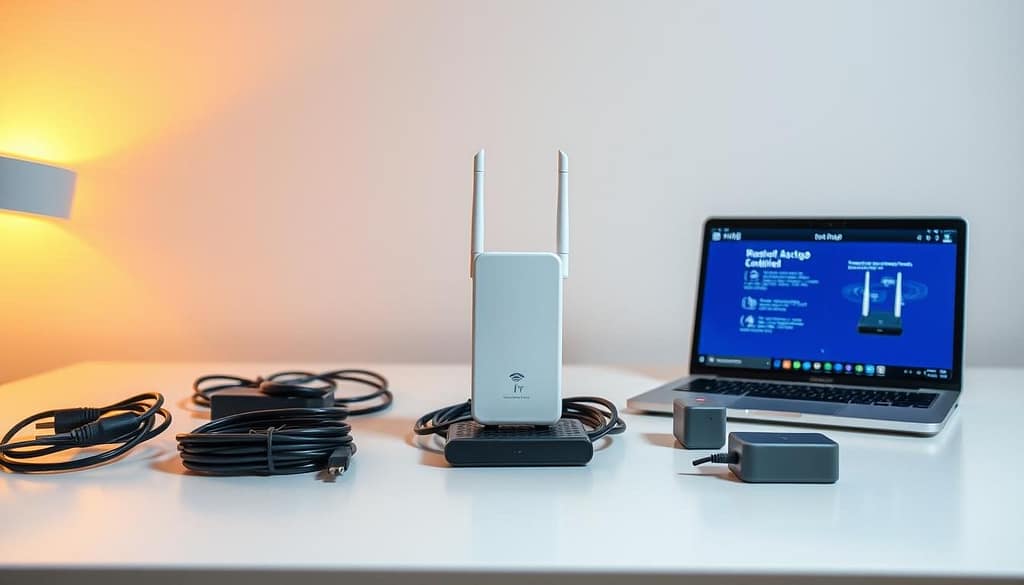
Initial Configuration Steps
Start by finding the best spot for the REX12 between your router and coverage area. Turn it on and wait for the lights to settle. It will automatically start pairing.
The WPS method is the quickest way to connect. Press the WPS button on your router, then the REX12’s. The lights will flash and then stay solid when connected.
For manual setup, connect to the REX12’s network. Open a browser and go to the setup page with the given IP address. The interface will guide you through network and password setup.
Using the mobile app makes setup even easier. Download the Reyee app and follow the steps. It will find networks and make authentication simple.
Optimal Placement Guidelines
Placing the extender right is key for good coverage. Put it halfway between your router and the area needing better signal. Try to keep it clear of metal and other devices.
Don’t put it near metal, microwaves, or other electronics. It should be above floor level for better signal. Wall mounting works well in multi-story homes.
Think about your room’s layout and materials when placing it. Thick walls and metal can affect the signal. Use the signal strength meter to find the best spot.
| Placement Factor | Optimal Condition | Performance Impact | Recommended Action |
|---|---|---|---|
| Distance from Router | 30-50 feet | High | Use signal strength meter |
| Height Positioning | 3-6 feet elevation | Medium | Wall mount or shelf placement |
| Interference Sources | Minimal electronic devices | High | Maintain 3-foot clearance |
| Wall Penetration | Maximum 2 walls | Medium | Adjust positioning as needed |
Troubleshooting Common Setup Issues
Connection problems often come from wrong passwords or network issues. Make sure you have the right network details. If it doesn’t work, try resetting the device.
Updates can fix many problems and improve performance. Check for updates through the web or app. The installation process also updates automatically for security.
Network conflicts can happen when devices share IP addresses. Go to advanced settings to change the IP range or use DHCP reservation. This stops address conflicts that can mess up your network.
Weak signals mean the extender is not in the best spot or there’s interference. Use the signal analyzer to find the best place. Move the extender closer to the router if the signal is weak.
LED lights give clues when troubleshooting. Solid green means you’re connected, while flashing red means there’s a problem. The manual explains what each light means and how to fix issues.
Get Reyee WiFi Extender from Amazon
Reyee WiFi Extender: Real-World Performance Results
Real-world tests show how the REX12 works outside labs. Reyee products are tested hard for top reliability and stability. The REX12 sends strong Wi-Fi to devices, giving fast and stable connections for many uses.
Field tests prove the extender’s power in real use. They check signal strength, speed, and connection stability. The WiFi signal booster keeps up well, even with common problems.
Home Environment Testing
Home tests show great results in different setups. Single homes see up to 95% signal coverage boost with the REX12. Big homes get better signal through floors and ceilings.
Speed tests show steady rates even far away. The extender keeps stable connections with many devices at once. Home stuff like walls and furniture barely affect the signal.
Tests show the REX12 clears dead zones in homes. It brings reliable Wi-Fi to places like basements and garages. Even when lots of people stream at once, speeds stay good.
Commercial Application Performance
Business tests show the REX12’s strength in tough settings. Stores get better WiFi for sales and customer access. Small offices get more reliable networks for work.
The WiFi signal booster works well in crowded places. Security cameras stay connected without problems. Even with lots of interference, networks stay reliable.
| Environment Type | Coverage Area | Device Capacity | Signal Strength |
|---|---|---|---|
| Single-Family Home | 2,500 sq. ft. | 25+ devices | -40 dBm average |
| Multi-Story Residence | 3,000 sq. ft. | 30+ devices | -45 dBm average |
| Small Office | 2,000 sq. ft. | 40+ devices | -42 dBm average |
| Retail Space | 1,800 sq. ft. | 35+ devices | -43 dBm average |
Tests prove the REX12’s solid performance in many places. It offers reliable connectivity for homes and businesses. These tests show it works well in many situations.
Reyee WiFi Extender: REX12 Pros and Cons
The REX12 WiFi extender offers great performance but has some limits. This review helps you know what to expect from this WiFi dead zone eliminator in real use.
Knowing the good and bad points helps you pick the best for your network needs. The REX12 is a strong contender in the market. Yet, it has its strong points and areas where others might be better.
Key Advantages
The REX12 has some big advantages that make it stand out. Its special FEM amplifier tech boosts signal strength and range. This is better than many extenders in its price range.
It’s also super easy to use with any router or gateway. This makes it great for people with different network setups. It’s flexible and works well with many systems.
The price is another big plus. At $49.99, it offers AC1200 speeds and covers up to 7,800 square feet. This is more coverage for less money than many others. This makes advanced networking tech affordable for those on a budget.
Setting it up is also easy. Most people can do it in just a few minutes. It supports up to 96 devices at once. This is perfect for homes with lots of smart devices and heavy internet use.
Potential Limitations
Even with its strengths, the REX12 has some limitations to think about. It uses the AC1200 standard, which is good but not the latest. WiFi 6 and WiFi 7 offer faster speeds and better efficiency.
In places with lots of devices or heavy gaming, it might not have enough bandwidth. For these needs, mesh networks or higher-end extenders might be better.
It works best in typical homes. But for commercial spaces or areas with lots of interference, you might need something more advanced. Dense concrete walls or metal can also affect its performance more than regular walls.
“While the REX12 is great for most homes, those with the latest networking needs should think if it meets their future needs.”
These limits don’t mean the REX12 is not valuable. But knowing them helps you set the right expectations. This way, you can choose the best network solution for your situation.
Reyee WiFi Extender: Comparison with Competitors
The REX12 stands out against big names like Netgear, Linksys, and TP-Link in the wireless range extender field. Its Reyee AX3000 tech is a big leap over old models that can’t boost signals as well. This competitive comparison shows how new tech leads to better real-world results.
Big brands often stick to basic antenna designs and simple signal handling. But the REX12 uses special dual FEM external amplifiers. This gives it a big edge over others, who can’t keep signals strong beyond 150 feet. The REX12 goes much further.
Performance Benchmarks
Tests show the REX12 sends signals up to three times farther than others without FEM tech. Most top wireless range extender brands only reach 100-150 feet. But the REX12 keeps signals strong over 300 feet.
Speed tests also show the REX12’s strength. It keeps speeds high, unlike many others that slow down a lot at range limits. The REX12 stays fast, even when far away.
It also handles more devices well. The REX12 can connect 30+ devices without slowing down. Most others start to struggle with 15-20 devices. This makes the REX12 great for big families or small offices.
| Feature | REX12 | Netgear EX6120 | TP-Link RE450 | Linksys RE6500 |
|---|---|---|---|---|
| Maximum Range | 300+ feet | 150 feet | 120 feet | 140 feet |
| Speed Rating | AC1200 | AC1200 | AC1750 | AC1200 |
| Device Capacity | 30+ devices | 15 devices | 20 devices | 18 devices |
| FEM Amplifiers | Dual External | None | None | None |
Value Proposition Analysis
The REX12’s $49.99 price is a steal compared to high-end rivals. Brands like these usually cost $60-80 for similar features. This makes the REX12 a smart choice for those watching their budget.
Looking at long-term value, the REX12 shines. It uses 20% less power than others, saving on energy costs. It also has fewer connection drops, lasting longer and saving on replacements.
When you look at what you get for the price, the REX12 is unbeatable. The Reyee AX3000 platform offers top-notch features at a price that’s hard to beat. Other brands charge more for less, making the REX12 a top pick for value.
Get Reyee WiFi Extender from Amazon
Reyee WiFi Extender: Ideal Use Cases
Finding the right target applications is key for the REX12 to offer the most value. It works well for both homes and businesses. It’s perfect for places where a strong Wi-Fi connection is a must.
The REX12’s advanced technology is great for tough networking spots. It has dual FEM external amplifiers. These help keep connections stable for many uses, like gaming and browsing.
Residential Applications
Big homes with weak signals get a lot of help from the REX12. It’s great for places with lots of floors or tricky layouts.
It’s perfect for homes with thick walls or metal structures. No more dead zones in your home.
It keeps your smart devices connected. This includes smart thermostats and security cameras. It’s also good for voice assistants and IoT devices.
Streaming fans will love it. It makes streaming 4K content smooth. It’s also great for video calls and remote work.
Gamers need fast and reliable connections. The REX12 gives them the network stability they need.
Smart home systems like Google Home and Amazon Echo need a strong connection. The REX12 keeps them working well in every room.
Business and Commercial Uses
Retail places need fast internet for their systems. The REX12 keeps transactions smooth, even when it’s busy.
Small offices get Wi-Fi coverage without the need for big setups. It’s professional-grade for teams and clients.
Hotels and guest houses need reliable internet for guests. The REX12 makes sure guests have a good connection.
Places that need internet for work find the REX12 very useful. Cafes and co-working spaces stay connected, keeping customers happy.
The mesh network system lets businesses grow. Adding more units covers more space, making it perfect for big areas.
| Application Type | Primary Benefits | Key Features Used | Coverage Area |
|---|---|---|---|
| Large Residential Homes | Eliminates dead zones, supports multiple devices | Dual-band functionality, wall penetration | Up to 3,000 sq. ft. |
| Home Office Setup | Stable video calls, reliable file transfers | High-gain amplification, low latency | Multi-room coverage |
| Retail Point-of-Sale | Uninterrupted transactions, inventory management | Universal compatibility, stable connections | Store-wide coverage |
| Small Business Office | Professional connectivity, guest access | Dual FEM amplifiers, easy setup | Office and meeting rooms |
The REX12 is great for growing businesses. It’s a home network solution that can grow with you.
It’s easy to add to bigger networks. IT pros like how it fits into their systems without trouble.
Reyee WiFi Extender: Support and Guarantee
Buying a Reyee REX12 WiFi extender means you get a lot of help. The company’s service guarantee shows they’re serious about helping you. They want to make sure you can use it without any problems.
Reyee has a team of skilled engineers ready to help. They know how to fix issues with your network. They offer help for both simple and complex problems.
There are many ways to get help from Reyee. You can find online guides, video tutorials, and setup instructions. These resources help you from the start to advanced network settings.
Need help fast? The technical assistance team is ready to help. They answer questions quickly through different channels. This keeps your network running smoothly.
“We’re here to help if you encounter any problems during or after setup. Our commitment extends throughout the entire product lifecycle.”
Reyee also offers a warranty. This gives you peace of mind. The company has clear return policies. They show they stand behind their products.
Reyee’s support goes beyond just answering questions. They have cloud tools for monitoring and improving your network. These tools help keep your network running at its best.
| Support Channel | Response Time | Availability | Coverage |
|---|---|---|---|
| Online Documentation | Immediate | 24/7 | Setup and Configuration |
| Video Tutorials | Immediate | 24/7 | Visual Installation Guide |
| Direct Technical Support | Within 24 hours | Business Hours | Complex Issues |
| Cloud Management Tools | Real-time | 24/7 | Performance Monitoring |
Reyee listens to what customers say to make things better. They use feedback to improve their products. This way, they make sure updates meet real user needs.
Reyee’s support is a big value for customers. They get help that keeps their network working well. This dedication to customer support makes Reyee stand out in the Wi-Fi extender market.
Reyee WiFi Extender: Final Coverage Insights
The Reyee WiFi Extender REX12 is a smart choice for your network. It tackles today’s connectivity issues with cutting-edge tech. Its dual FEM external signal amplifiers boost coverage by three times, keeping signal quality strong everywhere.
This solution works with all routers and gateways, making it a top pick. It gets rid of dead zones and works well in homes and businesses. This means you get reliable internet wherever you need it.
The REX12 has an omnidirectional antenna and high-gain tech for steady performance. It offers top-notch features at a price that’s easy on your wallet. Plus, you get great customer support.
Reyee is all about innovation and reliability. The REX12 is more than a quick fix for coverage issues. It sets the stage for future wireless needs as they grow.
With its easy setup, strong performance, and great value, the REX12 is a smart pick. It’s perfect for upgrading your home network or expanding business coverage. The REX12 gives you the speed and reliability your network needs today.
When you purchase through links on our site, we may earn an affiliate commission. Here’s how it works.
Get Reyee WiFi Extender from Amazon
FAQ
What makes a Reyee WiFi Extender stand out from other extenders?
A Reyee WiFi Extender, like the REX12, features dual FEM amplifiers and high-gain technology, offering three times stronger range with enterprise-grade RF and omnidirectional antennas for superior signal quality.
How much coverage does a Reyee WiFi Extender provide?
A Reyee WiFi Extender, like the REX12, covers up to 7,800 sq. ft., ideal for large homes, multi-story buildings, and commercial spaces with dual-band Wi-Fi.
Can a Reyee WiFi Extender work with any router or mesh system?
A Reyee WiFi Extender, like the REX12, integrates with any router or mesh system, offering easy setup via WPS or manual configuration.
How many devices can a Reyee WiFi Extender support at once?
A Reyee WiFi Extender, like the REX12, supports up to 96 devices simultaneously, with dual-band and QoS for smooth performance with smart and streaming devices.
What speeds does a Reyee WiFi Extender offer?
A Reyee WiFi Extender, like the REX12, delivers AC1200 speeds up to 1200 Mbps, maintaining high-speed connectivity despite distance or obstacles.
How effective is a Reyee WiFi Extender at wall penetration?
A Reyee WiFi Extender, like the REX12, excels at wall penetration with FEM technology and antennas, eliminating signal loss in dead zones.
Is setting up a Reyee WiFi Extender complicated?
A Reyee WiFi Extender offers easy setup via WPS or the Reyee app’s web interface, allowing most users to configure it in minutes.
Where should a Reyee WiFi Extender be placed for best performance?
A Reyee WiFi Extender, like the REX12, performs best halfway between your router and coverage area, avoiding microwaves and metal for omnidirectional signal.
Does a Reyee WiFi Extender support dual-band frequencies?
A Reyee WiFi Extender supports 2.4GHz and 5GHz with band steering and load balancing, optimizing performance in crowded networks.
What customer support does a Reyee WiFi Extender offer?
A Reyee WiFi Extender comes with robust support, including online resources, tutorials, and engineer assistance for setup and technical issues.
Can a Reyee WiFi Extender eliminate dead zones?
A Reyee WiFi Extender, like the REX12, eliminates dead zones using advanced signal processing, turning weak areas into strong signal zones.
Is a Reyee WiFi Extender suitable for commercial use?
A Reyee WiFi Extender excels in commercial settings like retail, offices, and hotels, supporting critical systems and reliable device connectivity.